

Introduction
In today’s fast-paced world, we’re bombarded with information from every direction. Between breaking headlines, social media updates, and non-stop notifications, staying informed can feel like running on a treadmill that never stops. That’s where daily alerts come in—your personalized lifeline to the most important news. With an effective daily alert system, media businesses, journalists, and news-focused platforms like News World can cut through the noise, engage readers, and deliver trusted insight exactly when it matters most.
In this deep dive, we’ll unpack:
- What daily alerts are, and why they matter.
- Their benefits to audiences and publishers alike.
- Best practices for delivering alerts that add real value.
- Technical considerations to ensure reliability and timeliness.
- Case studies of implemented alerts.
- Challenges and solutions you should anticipate.
- Future trends shaping the next evolution of daily alert systems.
Let’s explore how mastering daily alerts can help News World become a go-to source for timely, relevant news—and how your audience can transform from casual readers into deeply engaged followers.
1. What Are Daily Alerts?
1.1 Definition and Scope
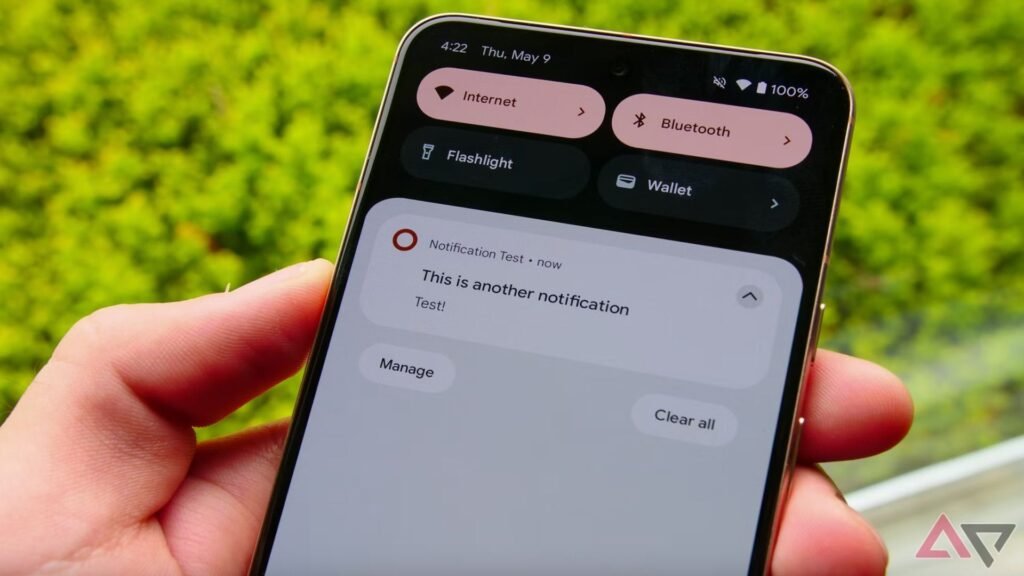
Daily alerts are curated, timely notifications—delivered via email, app-push, SMS, or in-browser—that summarize the most important developments of the day. They typically cover breaking news, political developments, market movements, weather updates, or sector-specific insights (e.g. tech, sports, health).
Key features:
- Frequency: Delivered at predictable intervals (e.g., morning digest, afternoon update).
- Brevity: Each alert offers concise headlines with a quick summary and a link for in‑depth reading.
- Actionable content: Beyond breaking news, alerts can include to‑do reminders, event notifications, or custom calls to action.
- Multi-channel: Can be distributed via email, push notifications, SMS, WhatsApp, browser alerts, and even voice assistants.
1.2 Types of Daily Alerts
- Morning Briefings: Summaries of top headlines and overnight global news.
- Midday Updates: Key events and shifts during the day.
- Breaking Alerts: Sent immediately when a major event unfolds.
- Thematic Alerts: Focused on niches—finance, sports, weather, health.
- User-Triggered Alerts: Customize by region, topic, or person (e.g. stock, athlete, politician).

2. Why Daily Alerts Matter
2.1 For Audiences
- Stay Informed with Minimal Effort: Alerts distill hours of reading into bite-sized insight.
- Customized Relevance: Tailored alerts ensure readers only get what matters most to them.
- Timeliness: Being among the first to know fosters trust and loyalty.
- Engagement: Tasteful alerts drive deeper interaction on your platform.
2.2 For News Publishers
- Boost Retention: Smart alerts keep readers returning daily.
- Higher Click-Through Rates: Notifications bring users directly to your site.
- New Revenue Opportunities: Sponsored alerts or branded content can create monetization potential.
- Data Discovery: Learn what topics readers prioritize, refine content strategy accordingly.
2.3 In a Saturated Media Landscape
With endless content competition, alerts act as your anchor—anchoring readers to News World instead of countless other sites or apps.
3. Best Practices for Daily Alerts
Crafting alerts that readers love—and that don’t get dismissed—requires strategy:
3.1 Personalization
- Interest-Based Alerts: Let users select themes—politics, world news, sports, finance.
- Behavioral Targeting: Use past clicks and reading history to suggest relevant alerts.
- Geo-Targeting: Provide local or regional news when appropriate.
3.2 Timing and Frequency
- Optimal Cadence: Data shows 1–3 timely alerts daily maintain engagement without fatigue.
- Timing Windows:
- Morning: brief digest between 7–8 AM
- Midday: around 12–1 PM
- Breaking: real-time during important events.
- Respect Quiet Hours: Avoid sending alerts at night or very early unless critical.
3.3 Concise, Compelling Writing
- Headline Style: Punchy, directive, news-first (e.g., “Fed Raises Rates by 0.5% – Market Reaction”).
- Preview Text: One-sentence summary with next-step link.
- Balance Urgency and Value: Use “Breaking” only when truly urgent.
3.4 Clear Call to Action
- Include links like “Read More,” “Watch Now,” or “Add to Calendar” when relevant.
- Make actions straightforward.
3.5 Multi-Channel Design
- Email Alerts: Use mobile-friendly templates, bullet-point summaries, visuals.
- Push Notifications: One-sentence headline + subtle banner image.
- In‑App Alerts: Include deeper interactive elements—swipeable updates, quick polls.
- SMS Alerts: Reserve for highest priority content (e.g., disaster warnings).
- Chat Apps Integration: Use Telegram or WhatsApp bots for proactive delivery.
3.6 Accessibility & Compliance
- Alt Text: For images in emails and apps.
- Readability: Plain language, avoid jargon.
- Subscriptions: Easy opt-in/out controls.
- Regulations: GDPR for EU users, CAN-SPAM in the U.S., TCPA for SMS.
4. Technical Setup
Delivering reliable daily alerts requires technological infrastructure:
4.1 Data Feed & Trigger System
- News API / RSS Feeds: Use trusted wire services or in-house CMS.
- Automated Triggers: Define threshold rules—e.g., “GDP beats forecast by >1%.”
- Event-driven Architecture: Webhooks for instant triggers.
4.2 Alert Composition Engine
- Templating System: Modular headlines & summaries.
- Synonym & Tone Generator: Ensure stylistic consistency.
- A/B Testing: Test variants for headline phrasing and send-time.
4.3 Delivery Infrastructure
- Email: Use platforms like SendGrid, Mailgun, Amazon SES.
- Push Notifications: Utilize Firebase Cloud Messaging, OneSignal.
- SMS: Services like Twilio or Nexmo.
- Browser Push: Service Workers + Certificate setup for HTTPS domains.
4.4 Backend Architecture
- Use a microservices approach—ingestion, processing, and publishing are distinct services.
- Systems must be scalable (handle breaking news surges) and redundant (failover email/push providers).
4.5 Monitoring & Error Handling
- Delivery Metrics: Monitor opens, clicks, bounces, opt-outs.
- Alert Health: Ensure services are running and notifications are being sent.
- Fallbacks: Alternate delivery channel if primary fails.
4.6 Data Privacy & Security
- Encryption: TLS in transit, AES‑256 at rest.
- Minimal Data Storage: Only collect necessary info.
- Permission Management: Log opt-ins per user.
- Compliance Audits: Internal checks for privacy regulations.
5. Real-World Case Studies
5.1 Axios Daily
- Offers short bullet-point summaries (the legendary “TL;DR” format), delivered via email and app.
- Known for timely delivery and clean, modern design.
5.2 The New York Times – Morning Briefing
- Long-standing daily newsletter with international, national, and home-section stories.
- Personalization improves local relevance for readers.
5.3 BBC Push Notifications
- Sends breaking news across devices with clear headlines and link to live coverage.
5.4 Bloomberg Business App Alerts
- Custom stock/market alerts with fast delivery and direct access to charts.
6. Challenges and Solutions
6.1 Notification Fatigue
- Solution: Let users set frequency limits and daily quiet hours.
6.2 Relevance vs. Reach
- Solution: Let users choose themes; use behavioral nudges to suggest relevancy.
6.3 Competition for Attention
- Solution: Optimize with A/B-tested headlines, brief copy, and compelling visuals.
6.4 Technical Failures
- Solution: Multi-provider backup systems; push via email fallback or vice versa.
6.5 Legal and Compliance Risks
- Solution: Keep opt-in/out simple; show clear privacy terms and industry compliance.
6.6 Monetization
- Solution: Offer brand-sponsored alerts sparingly with clear labeling and value.
7. User Engagement and Growth
7.1 Acquisition
- Signup nudges: On-site modals, CTA banners, end-of-article prompts.
- Cross-promotion: Leverage email newsletters or social to promote alert sign-up.
7.2 Retention
- Smart re-entry prompts: If users haven’t engaged in a week, send a reminder about customization and value.
- Bonus features: Premium users get extra exclusive alerts, ad-free options, or concierge support.
7.3 Feedback Loop
- Surveys: Quick pulse surveys right in alerts.
- Data dashboard: Analyze which alerts get the best opens/clicks.
7.4 Viral Power
- Referral links: Incentivize current subscribers to bring friends.
- Social share buttons: Let users share alerts on Twitter or LinkedIn.
8. Future Trends
8.1 AI-Generated Summaries
Tailored summaries per user preference—ultra-precise, concise, optimally timed.
8.2 Voice-First Alerts
Platforms like Alexa or Siri reading headlines or daily news bites.
8.3 AR/VR Integration
Wearables might show digital overlays of breaking news while walking or working.
8.4 Rich Media Alerts
Embedded video clips, interactive charts, or polls directly inside notifications.
8.5 Chatbot Delivery
Daily alerts embedded into WhatsApp, Telegram, or Slack channels where users already spend time.
8.6 Predictive Alerts
Analytical models will anticipate which events matter most—and alert users before something breaks.
9. Why News World Should Embrace Daily Alerts
- Expand Audience Reach: Deliver News World content beyond your website.
- Deepen Engagement: Notifications stimulate more frequent visits and loyalty.
- Drive Revenue: Subscribers present monetization options—ads, sponsored alerts, or premium options.
- Competitive Differentiation: A thoughtful, trustworthy alerts system distinguishes you in a crowded market.
- Data Insights: Learn from what people click, refine editorial strategy, personalize reading experiences.
10. Step-by-Step Implementation Plan
- Define Goals: Are you prioritizing reach, engagement, subscription conversion, or sponsorship?
- Audience Research: Survey or analyze to learn what your readers want in alerts.
- Choose Technology Stack: CMS, alert templating, delivery APIs (email/push/SMS).
- Content & Editorial Flow: Ensure people are on‑call to write, approve, and send alerts.
- Pilot Launch: Start small (e.g., morning digest only). Gather feedback, iterate.
- Scale Up: Once stable, add midday or niche alerts like business or sports.
- Performance Monitoring: Track opens, clicks, bounces, unsubscribes, and make data-driven calibrations.
Conclusion
Daily alerts aren’t just notifications—they’re a direct conversation from News World to your audience, defining what matters each day. When done well, alerts build trust, deepen engagement, and turn casual readers into a loyal community. By focusing on clear writing, smart personalization, thoughtful delivery, and an unwavering eye on data and future innovations, News World can transform how audiences consume news.